Docker and it's abstractions
Docker images, containers… volumes?
Last post we talked a bit about virtual machines, docker and kubernetes. We now know that virtual machines are software-based emulations of real machines that live inside a real machine. One real machine can have multiple virtual machines inside of it. Kind of like this:
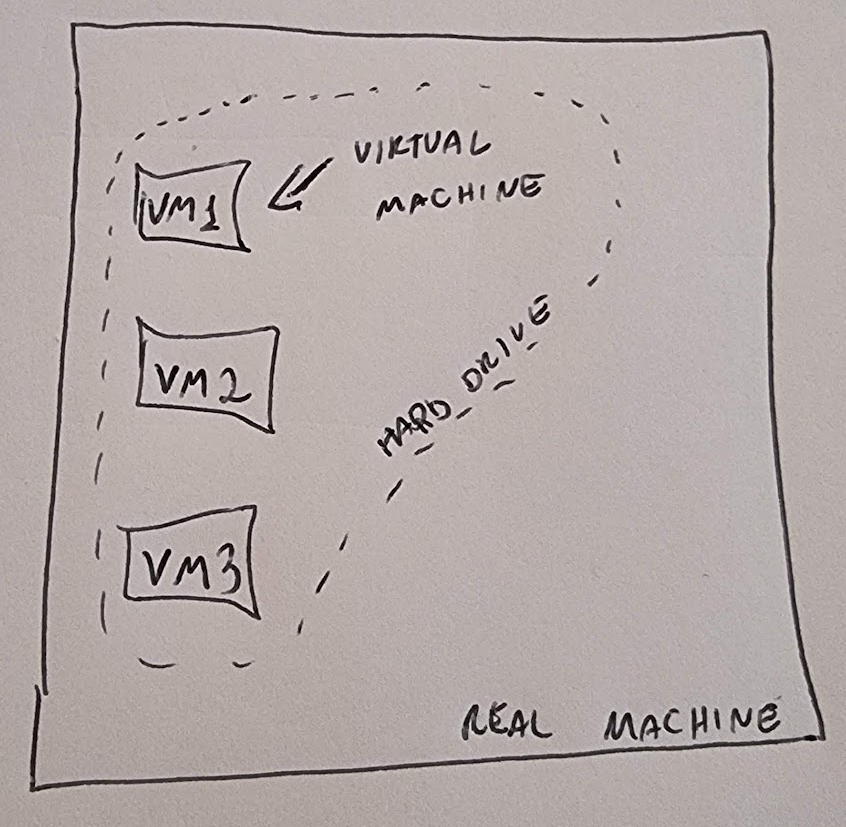
We also know that a virtual machine can be quite inefficient if we need to install a bunch of software in it, like the whole operating system, for example. That’s when docker comes in. Docker provides a platform that has all the necessary components for your application to run, but it is still efficient because it shares the kernel functionalities of the base operating system where docker is running. So you get the best of both worlds: you are able to develop your application without worrying that the environment that will run it has all the necessary infrastructure, while still maintaing performance.
Now it’s time to talk Docker language.
Docker images, containers… volumes?
Back to our useful analogies, let’s talk about:
Images
Containers
Volumes
Dockerfile
Images and containers are quite easy to understand. Earlier we were discussing how Docker provides a good virtual machine abstraction where we can develop an application and run it in an environment that contains everything necessary for it, right? Well, an image is pretty much the description of all the elements necessary for the application that you are writing. You just need to specify exactly what database you need, for example. And a container is just an image running. In other words, if the docker image is saying that you need a PostgreSQL database, once you run this image you will get a container that has a PostgreSQL database in it.
The volumes are a way to not lose data in your containers. A cool feature of containers that we didn’t talk about is how they are consistent when you start them. If you start a container following the instructions in the docker image, you should always get the same result, no matter where or when this container is created. This means that if you make some operations inside this container that generate some data, but then you destroy this container and start a new one, you’ll lose the data. That’s when volumes come in. If you want to keep some data, you can write it to a docker volume, which is just another abstraction. The data written to a docker volume in reality will be written to the real hard drive of the docker host machine.
And finally, the dockerfile is a file that contains the instructions to build a docker image. By instructions, I mean that you might have some base image, but you might want to include some volumes, for example, expose some ports and all that. With these instructions in the dockerfile, you should be good to trust that your environment will be consistent in whatever container you spin up, regardless of which real hardware it is running on.
Is that all? I’ve heard the term pod before, what does it mean?
That is not all… there are some other terms worth mentioning. The docker registry is the place where docker will search for the images. If you write a specific PostgreSQL image, for example, docker will search for that image in the docker registry. Docker networking is also relevant to mention, as it is a configuration that allows you to define how each docker container will communicate with the world outside of Docker, and even with other containers inside docker. Which reminds us of docker compose.
Docker compose is a tool that allows us to manage multiple containers. A real world application will likely not be just one codebase in a single huge repository. It’s easier to develop and maintain individual projects, like separate projects for front end and backend. But we want to have all the pieces deployed correctly. A good tool for managing this is docker compose. It allows us to manage multiple containers, making our lives easier when deploying and testing applications.
Wait… isn’t that what Kubernetes does?
A good way to think about it is that docker compose is a tool for development and Kubernetes is a tool for production. Docker compose allows basic functionality for bringing multiple containers, but it’s more suited for local development and testing. For production environments, Kubernetes will provide more functionality, like automatically scaling the containers when there’s a need for it. Oh, we didn’t talk about pods… well, the term pods refers to a concept of Kubernetes, and it will be covered in the next post :)